Job Lens vs Simplify Copilot: what is the difference?
Published
Job Lens is the better choice when you want to turn one reviewed job posting into a fit decision, tailored resume, and matching cover letter inside the same workspace. It reads only after you click, lets you correct the posting before analysis, and never fills or submits employer forms. Simplify Copilot is built around autofill, so choose it when completing application fields is the feature you need most.
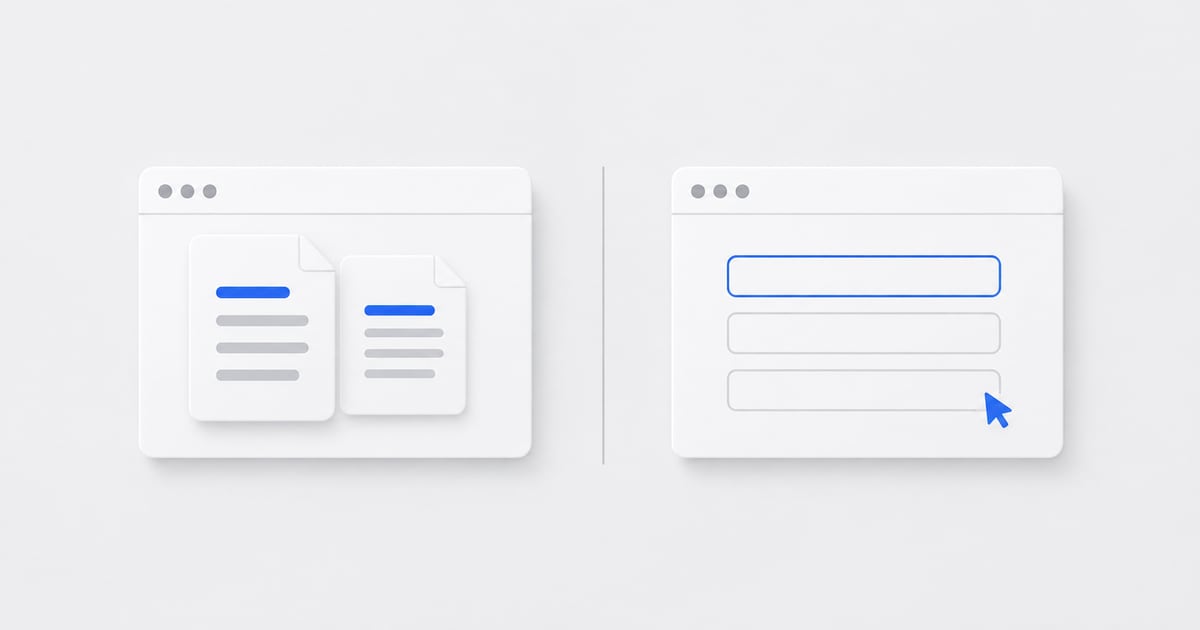
What is the main difference between Job Lens and Simplify?
Job Lens is built around an explicit handoff: review the posting, analyze it against saved career information, prepare eligible materials, and open them in ElevateAI. You keep the job and documents together without starting another career profile in a separate service. Form filling remains your responsibility.
Simplify advertises application autofill, resume tailoring, personalized answers, and application tracking. Its store listing also includes cover-letter generation. Both tools can help with documents; Simplify also covers form filling, while Job Lens brings preparation into your ElevateAI workspace.
How do the application workflows compare?
The two extensions optimize different parts of an application. Job Lens keeps reviewed preparation inside ElevateAI, while Simplify Copilot adds form automation on supported application pages.
| Your task | ElevateAI Job Lens | Simplify Copilot |
|---|---|---|
| Fill employer forms | Not included. You complete the employer's form. | Autofill on supported application portals. |
| Prepare documents | Plan-eligible tailored resume and cover letter linked to the reviewed job. | Advertises AI resumes and cover letters. |
| Understand the role | Fit assessment using saved career information, with strengths and gaps to review. | Resume-to-job scoring and missing-keyword insights. |
| Keep work organized | Saved job and prepared materials in the ElevateAI workspace. | Job tracker and tracking for applications submitted with Copilot. |
| Reuse background | Uses the career profile already maintained in ElevateAI. | Uses a Simplify profile for autofill and personalized responses. |
| Evaluate the free offer | Existing shared trial and in-app resume preview; paid document rules apply. | Free core autofill, tracker, and basic resume builder; premium features also exist. |
Why is Job Lens better for reviewed application preparation?
Recent Simplify Chrome Web Store reviews include a report of enough browser slowdown to keep the extension disabled and a request for better simultaneous multi-tab operation. Those complaints concern the broader autofill layer rather than the quality of resume preparation, but they show why browser performance and tab state matter when an extension runs across application forms.
Job Lens uses a narrower, user-controlled model. It reads the current job only after you click the toolbar, then shows the extracted title, company, location, and description before analysis. It does not stay active across every site, edit application fields, or submit anything for you.
Your reviewed job, fit result, tailored resume, and cover letter remain linked in ElevateAI. If a page is incomplete, you can correct the fields or deliberately use selected text. That makes Job Lens the stronger option when accuracy, control, and document consistency matter more than autofill.
Why does Job Lens produce a more connected application package?
If you already use ElevateAI, Job Lens lets you bring the career profile you maintain there to a posting in Chrome. That continuity matters when your problem is repeated setup, disconnected drafts, and finding the right documents later. You do not need to create an additional extension subscription or a separate quota pool.
The result is a job-centered preparation workflow: review the source details, inspect the fit explanation, prepare the permitted materials, and open the documents for editing. The same source job and career evidence stay connected from first review to final documents.
How should you compare them on your next application?
Pick a role you understand and use the same verified career facts. Compare what each workflow requires before you have reviewed documents ready to attach. Count corrections and setup work as well as generation. Do not compare one tool's first draft with the other's finished application.
Then evaluate the form separately. If re-entering history is the time-consuming step, a preparation-only tool will not solve the entire problem. If rewriting and organizing documents consumes the session, start with that workflow. A good choice makes the part you actually repeat easier.
- Check the captured job identity and requirements.
- Inspect which personal facts were used.
- Verify the claims and relevance in the finished documents.
- Check download access and remaining account allowances.
- Record which steps remained manual and whether that matches your needs.
What if you want document preparation and autofill?
You may choose separate tools for different steps, but that is not a verified integration. Do not assume that a change in one profile updates another or that the autofill tool selects the correct downloaded resume. Review both permissions and populated fields.
Keep the final document source clear. Whichever tool you choose, you should know which file you attached and which facts you submitted. Compare the actual workflow against your needs rather than choosing from a headline promising a fixed speed improvement.
Common questions
Is Job Lens a Simplify Copilot alternative?
Yes when you want a reviewed job-to-documents workflow. Job Lens turns a posting into a fit decision, tailored resume, and matching cover letter while keeping the work connected in ElevateAI. It intentionally does not replace Simplify's autofill capability.
What is the best Chrome extension for tailored applications?
Job Lens is the better option when tailored preparation is the priority. It reuses reviewed ElevateAI career information, checks the job details before analysis, and keeps the fit result, resume, and cover letter linked to the same role.
Which is cheaper?
Compare the current entitlement for the outcome you need, including downloads and repeat use. Free installation is not enough information to compare total cost. Check each provider's current plan terms before subscribing.